
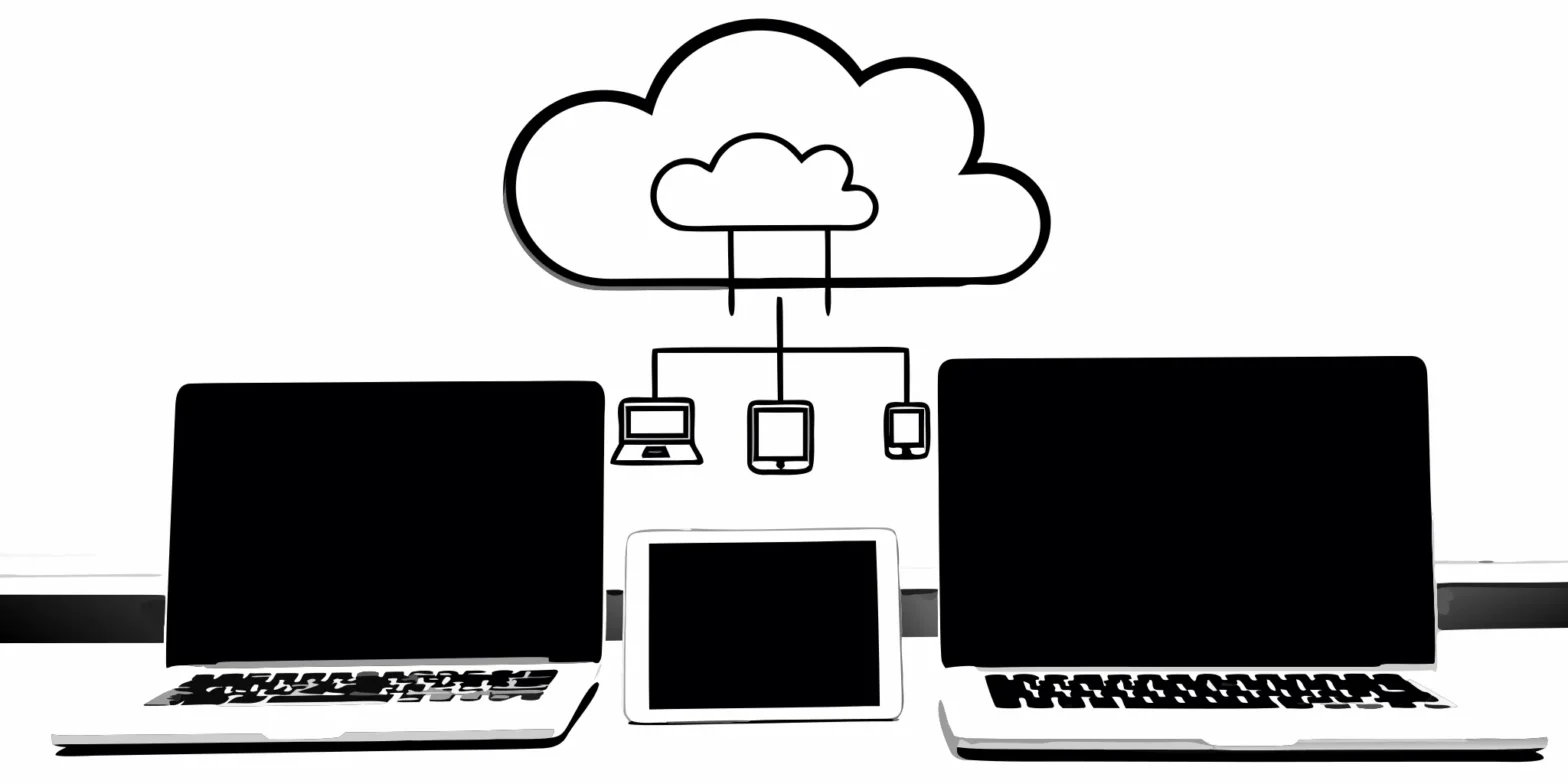
Let’s be honest: the mountain of paperwork is one of the least glamorous parts of running a business. Between invoices, receipts, tax forms, and contracts, it’s easy to feel like you’re running a records office instead of a company. This paper trail isn’t just clutter; it’s a source of stress and inefficiency that pulls you away from focusing on growth. The good news is that you don’t have to be buried in files. Making the switch to a digital system is transformative. The right electronic filing solutions for small business can turn that chaos into a streamlined, secure, and searchable operation, giving you back valuable time and building a more professional foundation for your company.
Key Takeaways
- Redefine E-Filing for Your Business: Move beyond just tax submissions and treat electronic filing as a complete digital document management system. This approach creates a single, secure hub for everything from invoices to contracts, streamlining your daily operations and making your business more efficient.
- Choose a Solution That Fits Your Workflow: The right software should simplify your work, not complicate it. Prioritize solutions that offer robust security, integrate smoothly with your current accounting tools, and have a user-friendly interface that your team can adopt easily.
- Plan Your Transition for a Smooth Switch: Successfully going paperless happens with a clear, step-by-step plan. Address technical requirements, get your team involved early, and consider professional support to manage data migration and ensure your new system is set up correctly from the start.
What is Electronic Filing for Small Businesses?
Let’s clear up a common misconception: electronic filing is about so much more than just submitting your taxes online. At its core, electronic filing is the practice of managing your important documents as digital files instead of paper ones. Think of it as trading in your bulky, metal filing cabinets for a secure, organized, and searchable digital system. This includes everything from tax forms and financial statements to employee records, client contracts, and vendor invoices.
For a small business, this shift is transformative. It means less time spent searching for a misplaced receipt and more time focused on growth. It’s about creating a single source of truth for your financial data, which makes everything from daily bookkeeping to year-end tax planning smoother and more accurate. By embracing electronic solutions, you’re not just getting rid of paper clutter; you’re building a more efficient, resilient, and professional operation. It’s a foundational step in modernizing your back office and setting your business up for success.
The Different Types of E-Filing Systems
When you hear “e-filing,” you might picture a few different things, and you’d probably be right. The term covers a range of tools designed for different needs. Some systems are highly specialized, focusing only on preparing and submitting tax returns to the IRS and state agencies. Others are much broader, acting as a central hub for all your company’s documents.
These more comprehensive solutions are often called Document Management Systems (DMS). You can think of a DMS as your business’s own electronic filing cabinet, where you can store, organize, and securely share any file. Many modern accounting platforms also include these features, allowing you to attach digital receipts to expenses or save client contracts directly within the software you already use every day.
Why Your Small Business Should Make the Switch
Making the switch from paper to digital might feel like a big project, but the benefits are immediate and substantial. The biggest win is efficiency. Instead of manually handling paperwork, you can streamline and digitize your entire workflow. Imagine approving invoices with a click, finding a specific contract in seconds, or giving your accountant secure access to financial records without ever touching a printer.
This digital approach also significantly improves accuracy and compliance. It reduces the risk of human error from manual data entry and creates a clear, auditable trail for every document. For businesses in California, where record-keeping requirements can be complex, having a robust electronic system isn’t just a convenience—it’s a smart move for staying compliant. Getting the right systems in place is a key part of our accounting software implementation support for clients.
Must-Have Features in Your E-Filing Software
Choosing the right software can feel like a huge decision, but it gets a lot easier when you know what to look for. Think of it less like finding a unicorn and more like building a checklist of non-negotiables. The best electronic filing solution is one that fits into your existing workflow, protects your sensitive information, and doesn’t require a user manual the size of a phone book to operate.
As you compare options, focus on a few core features that will make the biggest difference in your day-to-day operations. A flashy dashboard is nice, but it’s the fundamentals—like robust security, smart integrations, and reliable support—that will truly save you time and prevent headaches down the road. Getting these right from the start means you can spend less time wrestling with software and more time running your business.
Prioritize Security and Compliance
Your first checkpoint should always be security and compliance. You’re handling sensitive financial data for your business, employees, and customers, so this is not the place to cut corners. Look for software that details its security measures clearly. For example, some platforms have a SOC 2 Type II certification, which is a high standard for data safety and privacy. This ensures an independent third party has verified their security controls. Strong encryption, multi-factor authentication, and a clear privacy policy are the bare minimums you should expect. Your peace of mind depends on knowing your financial information is locked down tight.
Check for Seamless Integrations
The right e-filing software shouldn’t operate on an island. It needs to play well with the other tools you already use to run your business, especially your accounting system. Seamless integrations create a connected workflow, reducing manual data entry and the risk of errors. When your e-filing platform can sync with your accounting software, it streamlines everything from payroll tax filings to year-end reporting. This is a key part of creating an efficient financial tech stack. If you need help, professional accounting software implementation can ensure all your systems communicate flawlessly from day one.
Find an Easy-to-Use, Mobile-Friendly Interface
You have a business to run, so you don’t have time to fight with clunky, confusing software. The best e-filing solutions have a clean, intuitive interface that makes sense from the moment you log in. A good benchmark is that it should feel as simple to use as popular consumer tax software. A mobile-friendly design is also essential. Whether you need to check a filing status from your phone or approve a document while away from your desk, you need access on the go. A simple, accessible platform means you and your team can get work done efficiently without a steep learning curve.
Don’t Overlook Support and Training
Even the most user-friendly software can present questions. When that happens, you want to know that a knowledgeable human is ready to help. Before committing to a platform, check out its support options. Do they offer phone, email, or chat support? Are they available during your business hours? Some services even offer concierge e-filing, where an expert reviews your documents to catch potential mistakes before they’re submitted. This level of business accounting and management support can be invaluable, saving you time and ensuring your filings are always accurate and compliant.
Exploring Your E-Filing Options
Once you know what features you need, it’s time to look at the different types of tools available. Electronic filing isn’t a one-size-fits-all solution. The market is full of options, from specialized tax software to comprehensive cloud platforms and document management systems. Each serves a slightly different purpose, and the right choice depends on your business’s size, complexity, and long-term goals.
Think of it like building a toolkit. You might start with one essential tool, like tax software, and add others as your business grows. Understanding what each type of solution does best will help you build a system that simplifies your operations, keeps you compliant, and supports your growth. Let’s break down the main categories so you can find the perfect fit for your business.
Our Take on Professional Tax Software
For most small businesses, professional tax software is the starting point for e-filing. These programs are designed specifically to prepare and file your federal and state tax returns electronically. When evaluating options, look beyond the basic features. The best software offers clear guidance, checks for errors, and helps you identify potential deductions. A key factor to consider is transparent pricing. You should be able to easily understand the total cost, including any fees for state filing or specific forms, so there are no surprises when it’s time to file. This software is a critical component of your annual business tax planning and ensures your filings are accurate and on time.
The Power of Cloud-Based Platforms
Cloud-based accounting platforms like QuickBooks Online or Xero take e-filing a step further by integrating it into your daily financial management. These systems store your data securely online, so you can access your books from anywhere. The big advantage here is scalability and predictable costs. Because these platforms often use a subscription model, you can forecast your budget without worrying about unexpected fees. They also streamline your entire workflow, from invoicing to payroll, and make collaboration with your accountant seamless. Getting the right system in place is key, which is why professional accounting software implementation can make all the difference.
How Document Management Systems Can Help
A Document Management System (DMS) is your digital filing cabinet. While not strictly for tax filing, a DMS is essential for keeping the organized records you need to support those filings. These systems allow you to store, track, and manage all your important documents—receipts, contracts, invoices, and more—in one secure, searchable place. Modern systems are more than just storage; they let you create links between documents, control access, and collaborate with your team. Don’t let the idea of another software tool intimidate you; many affordable options are designed for small businesses, making strong business accounting and management practices accessible to everyone.
Comparing the Cost and Value of E-Filing
When you’re looking at electronic filing solutions, the price tag is obviously a big factor. But the cheapest option isn’t always the best value for your business. The real goal is to find a system that saves you time, reduces errors, and scales with you—without any surprise costs. Thinking about the total value helps you make a smarter investment. It’s about balancing the upfront cost with the long-term benefits, like streamlined workflows and better financial accuracy.
A good e-filing system should feel like a partner in your business’s financial health. It’s not just about submitting a tax form; it’s about creating a more efficient and secure way to handle your most important documents. Let’s break down the key cost factors to consider so you can find a solution that fits your budget and your business goals.
Subscription vs. One-Time Purchase
As you explore different software, you’ll run into a few common software pricing models. Some solutions are sold as a one-time purchase, where you buy a license to use the software indefinitely. This can feel great because it’s a single, predictable expense. However, you might have to pay extra for annual updates or support. More common these days is the subscription model, where you pay a monthly or yearly fee. This often includes continuous updates, support, and cloud access, making it easier to manage cash flow. For a growing business, a subscription can be more flexible, allowing you to scale your plan up or down as your needs change.
Watch Out for Hidden Fees
The sticker price isn’t always the final price. Some providers have hidden software costs that can catch you by surprise, like extra fees for filing certain forms, charges for multiple users, or costs for integrating with your other software. Before you commit, ask for a complete breakdown of all potential charges. Transparent pricing is a sign of a trustworthy provider. Look for clear information on what’s included in your plan, from customer support to the number of filings you can make. This ensures you can budget accurately without worrying about unexpected bills down the line.
How to Calculate Your ROI
The true value of an e-filing solution goes beyond its price. Think about the return on investment (ROI) in terms of time saved, errors avoided, and stress reduced. How many hours will you or your team get back by automating manual data entry? What’s the cost of a single filing error or a missed deadline? Modern platforms with predictable costs make it easier to forecast your budget and see the value clearly. When you factor in the efficiency gains and improved accuracy, the right software often pays for itself. This is a core part of effective business accounting and management.
The Perks of Going Paperless
Making the switch to electronic filing is more than just a way to clear clutter off your desk—it’s a fundamental upgrade to how your business operates. Going paperless streamlines your workflows, strengthens your data security, and can even improve your bottom line. When you digitize your financial documents and tax filings, you position your company to be more agile, accurate, and efficient. Let’s break down the tangible benefits you can expect.
Save Time and Work Smarter
Think about the time you or your team spend searching for physical documents in filing cabinets. With an electronic system, every invoice, receipt, and tax form is searchable and accessible in seconds. This instant access allows you to answer questions, prepare reports, and manage your finances without delay. An effective e-filing process “saves you time, reduces the chance of mistakes, and makes sure your documents follow all the court rules.” This efficiency frees you up to focus on strategic growth instead of administrative tasks, making your entire business accounting and management process smarter.
Improve Accuracy and Reduce Errors
Manual data entry is a recipe for small but costly mistakes—a misplaced decimal or a transposed number can have significant consequences. Electronic filing solutions minimize these risks by automating data capture and flagging inconsistencies. Many systems use validation checks to ensure forms are filled out correctly before they’re even submitted. By reducing human error, you not only ensure your financial records are accurate but also lower your risk of penalties and audits. A well-managed digital system can help you prevent costly errors that could otherwise lead to serious financial headaches.
Keep Your Data More Secure
A locked filing cabinet can’t protect your sensitive financial data from fire, flood, or theft. Modern electronic filing systems offer far superior security. Reputable platforms use advanced encryption, secure cloud storage, and controlled access permissions to safeguard your information. Many top-tier systems even hold a SOC 2 Type II certification, which is a rigorous standard for data safety and privacy. By entrusting your documents to a secure digital system, you gain peace of mind knowing your most critical business information is protected by enterprise-level security measures, a key consideration during accounting software implementation.
Go Green and Save Money
Reducing your paper consumption is a win for both the environment and your budget. Going paperless significantly cuts down on the need for paper, ink, toner, folders, and physical storage space. While the environmental benefits are clear, the cost savings are just as compelling. When you switch to electronic document management, you eliminate recurring supply expenses and the costs associated with storing and eventually shredding years of paperwork. These savings add up over time, directly contributing to a healthier bottom line for your business.
Common Hurdles in E-Filing Implementation (and How to Clear Them)
Making the switch to an electronic filing system is a smart move, but let’s be honest—any change in your business operations can feel like a big project. It’s completely normal to anticipate a few bumps in the road, whether it’s learning new software or getting your team comfortable with a different workflow. The good news is that these challenges are well-known and, with a little planning, entirely manageable. Think of it less as a series of obstacles and more as a set of steps to walk through. By anticipating these common hurdles, you can create a clear plan to address them head-on and ensure a smooth transition for everyone involved.
Handling Technical Requirements
The thought of new technology can be intimidating, especially when it involves your company’s sensitive financial data. Many business owners worry about the complexity, security, and cost of implementing a new system. It’s true that you’ll need to familiarize yourself with certain security measures to protect your information, but modern e-filing solutions are built with this in mind. A common myth is that robust document management systems are only for large corporations with deep pockets. In reality, many of today’s platforms are scalable and affordable for small businesses. The key is to choose a solution that fits what you actually need, rather than paying for a suite of features you’ll never use. A professional can help you assess your needs and find the right fit.
Getting Your Team on Board
A new software platform is only as effective as the team that uses it. Resistance to change is natural, so it’s important to get your team’s buy-in from the start. Frame the transition as a way to make their jobs easier, not harder. When you have organized workflows, you save time, reduce frustrating mistakes, and free up your team to focus on more important work instead of chasing down paperwork. To make the process less overwhelming, consider rolling out the new system in phases. Instead of switching everything over at once, start with a single department or one specific process. This allows you to create a small group of champions who can test the system, provide feedback, and help train others when it’s time for a company-wide launch.
Moving and Integrating Your Data
One of the biggest logistical challenges is migrating your existing data into the new system. If you’re used to a paper-based or fragmented digital system, you know how easily files get misplaced or versions get mixed up. These small inefficiencies create bigger risks and headaches down the line. A central electronic filing system is designed to solve these exact document management challenges. The goal is a clean and complete data transfer. Before you begin, take the time to clean up and organize your existing files. This ensures you’re starting with a solid foundation. Planning this migration is critical, and it’s an area where getting professional support for your accounting software implementation can prevent major issues.
Busting Common E-Filing Myths
Misconceptions can often stop business owners from adopting more efficient tools. Let’s clear up a few common myths about electronic filing. One of the biggest is that the software is too complicated to learn. While that may have been true years ago, today’s platforms are designed with user experience in mind. Many are intuitive and require minimal training. Another persistent myth is that small businesses don’t really need a formal document management system. The truth is, efficiency and organization are just as critical for a small team as they are for a large one. Having a reliable system in place from the beginning sets you up for sustainable growth. Finally, many assume the cost is prohibitive, but when you calculate the return on investment from time saved and errors avoided, you’ll often find that an e-filing system pays for itself.
How to Choose the Right E-Filing Solution
Finding the right electronic filing solution feels a lot like finding the right business partner—it needs to fit your current situation and be able to grow with you. With so many options out there, from simple tax software to comprehensive document management systems, it’s easy to feel overwhelmed. The key is to step back and focus on what your business truly needs. It’s not about getting the most feature-packed tool, but the one that simplifies your workflow, ensures compliance, and sets you up for future success. A thoughtful choice here can make a huge difference in your day-to-day operations, freeing up time and reducing headaches. It’s a foundational piece of your tech stack that impacts everything from tax season to daily bookkeeping. Making the switch from paper to digital is a big step, but the right system makes the transition smooth and worthwhile. It’s about creating a central, secure hub for your most important financial information. Let’s break down the essential factors to consider so you can make a confident decision for your company.
Assess Your Business Needs and Volume
Before you even look at software, take a moment to look at your own operations. How many documents are you handling each month? What kind of documents are they—invoices, tax forms, contracts? The best systems let you do more than just store files; they allow you to link related documents, add notes, and share them securely with controlled access. A solid understanding of your daily workflow will help you pinpoint the features you can’t live without. This initial assessment is a critical part of effective business accounting & management and ensures you invest in a solution that truly fits your needs, helping you save on paper and supplies along the way.
Consider California-Specific Requirements
If you operate in the Golden State, you know that our compliance landscape has its own unique features. Your e-filing solution needs to be up to the task. California has specific electronic platforms, like the eFile system, for submitting important documents such as the Form 700 for economic interests or campaign finance reports. Choosing a system that is designed to handle these state-specific filings is non-negotiable for staying compliant. This is where strategic business tax planning comes into play, ensuring your chosen tools meet all local and state regulations from day one and you’re not caught off guard.
Plan for Future Growth
The solution that works for you today should also work for you in two, five, or even ten years. Think about your business goals. Are you planning to expand your team, enter new markets, or increase your sales volume? A scalable solution with a transparent pricing model will prevent unexpected costs as you grow. Cloud-based platforms are often a great choice because they can adapt to increasing demand without requiring a massive overhaul. Getting expert help with accounting software implementation & support can ensure the system you choose today is robust enough for your ambitions tomorrow.
Integrating E-Filing with Your Accounting Software
Choosing an e-filing solution isn’t just about picking a tool to submit forms; it’s about creating a smarter, more connected financial workflow. The real magic happens when your e-filing system works in harmony with the accounting software you use every day. When these systems communicate, you eliminate the tedious and error-prone task of manually transferring data from your books to your tax forms. This integration is the key to a streamlined process that saves you time, reduces mistakes, and gives you a clearer picture of your financial health. Think of it as building a bridge between your daily operations and your compliance requirements, ensuring a smooth and steady flow of accurate information.
Checking Platform Compatibility
Before you get attached to any new software, the first thing you need to confirm is compatibility. Your e-filing platform and accounting software must be able to “talk” to each other. A seamless integration means the e-filing tool can pull financial data directly from your books, which drastically cuts down on manual entry. The IRS maintains a list of approved companies that offer e-filing services, which is a great starting point to find trusted options. Making compatibility your top priority ensures you’re building an efficient system from the ground up, rather than creating more work for yourself down the line.
The Benefit of Real-Time Data Sync
One of the biggest wins of integrating your tools is access to real-time data. When your e-filing software syncs directly with your accounting platform, you can be confident that your tax forms reflect the most current financial information. This eliminates the last-minute scramble to close out the books and reconcile numbers. It also means the financial reports you rely on to make business decisions are always up-to-date and accurate. This level of clarity is essential for effective business accounting and management, allowing you to file with confidence and plan for the future based on solid numbers.
Why Professional Support Matters
Getting your software to sync up isn’t always a simple plug-and-play affair. This is where professional support can make all the difference. An expert can ensure your systems are configured correctly, that data is mapped properly between platforms, and that you understand how to use the integrated workflow effectively. This initial setup is critical for preventing errors that could cause major headaches later. At Clear Peak, our Accounting Software Implementation & Support services are designed to handle this for you. We help you choose the right tools and ensure they work together perfectly, so you can focus on running your business.
Making the Switch to Electronic Filing
Transitioning to a new system can feel like a huge project, but it doesn’t have to be a headache. Breaking the process down into smaller, manageable pieces makes it much more approachable. With a clear plan and the right support, you can create a streamlined, paperless workflow that saves you time and stress in the long run.
Your Step-by-Step Implementation Plan
A successful switch starts with a solid plan. Instead of trying to overhaul everything at once, focus on a phased approach. A great first step is to identify one area of your business to start with, like managing your invoices. Once you’ve mastered that, you can expand to other documents. As you map out your plan, think about choosing the right software for your specific needs and budget. Finally, remember to set aside time to train your team. Organized digital workflows save time, reduce mistakes, and let everyone focus on more important work.
How Your CPA Can Help
You don’t have to manage this transition alone. Your CPA can be an invaluable partner in making the switch to electronic filing. We can help you select and set up the right systems, ensuring everything is configured correctly from day one. This expert guidance saves you time and helps you avoid common mistakes. With a professional handling your accounting software implementation, you can feel confident that your financial data is secure, compliant, and organized, especially as you handle IRS digitalization and California’s specific tax rules. Think of us as your tech-savvy accounting department, here to simplify the process.
Setting a Realistic Timeline
Patience is key when implementing a new system. Rushing the process can lead to misplaced files, version control issues, and missed deadlines. Instead, set a realistic timeline that allows for a gradual rollout. You might dedicate the first month to research and software selection, the second to implementing the system in one department, and the third to training and expansion. It’s also smart to schedule regular check-ins every few months to review your digital files and archive anything you no longer need. This keeps your system clean and efficient for years to come.
Related Articles
- Online Incorporation Filing for LLC in 5 Steps
- How to File Sales and Use Tax for Small Business (2026)
- Tax Help for First-Time Filers: Essential Tips & Resources
- How to File Taxes for a Single Member LLC Step-by-Step
Frequently Asked Questions
Is it really safe to store all my financial documents online? This is a completely valid concern, and the short answer is yes, it’s extremely safe—often much safer than a physical filing cabinet. Reputable electronic filing and cloud accounting platforms invest heavily in security measures like bank-level encryption and multi-factor authentication. Unlike paper files that are vulnerable to theft, fire, or water damage, your digital documents are protected in secure data centers. You also have precise control over who can see or edit specific files, which is a level of security that’s hard to replicate with paper.
I’m a very small business. Do I really need a full electronic filing system? You absolutely do, but it doesn’t have to be a complex or expensive system. For a small business, an “electronic filing system” might simply mean using the document storage features already built into your accounting software to attach receipts to expenses. The goal is to create organized, searchable records from day one. Starting with good digital habits now, even on a small scale, prevents massive organizational headaches later and makes tax time infinitely smoother as your business grows.
What’s the biggest mistake businesses make when they switch to e-filing? The most common misstep is choosing a software solution before fully understanding their own workflow and needs. It’s easy to get drawn in by a long list of features, but if those features don’t solve your specific problems, you end up with a tool that’s either too complicated or not powerful enough. Taking the time to map out how you handle documents now and where the bottlenecks are will help you select a system that actually makes your life easier.
Do I have to move all my old paper files into the new system right away? Not at all, and trying to do so is a quick way to feel overwhelmed. A great strategy is to start with a “day forward” approach. From a specific date, commit to saving all new documents electronically in your new system. You can then tackle the backlog of old paper files gradually over time, perhaps scanning one box a month or digitizing documents only as you need them. This makes the transition manageable instead of feeling like an insurmountable project.
Can my accountant access my electronic files? Yes, and that’s one of the most powerful benefits of making the switch. Modern systems allow you to grant secure, controlled access to your CPA. This means we can review your books, pull reports, and find the documents we need for tax planning or filing without you having to email sensitive files or drop off a box of papers. It makes collaboration seamless and efficient, ensuring we’re always working with the most up-to-date information.